To purchase a Challenge account with Hantec Trader, simply follow the steps below:
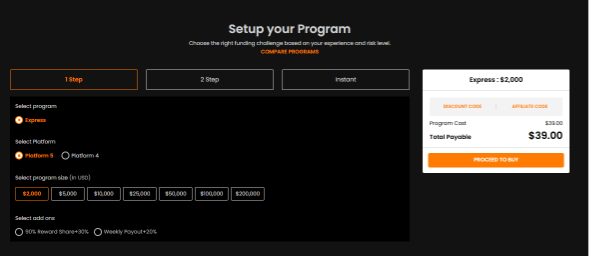
Step 1: Choose Your Account Type
Select the program that best suits your trading style:
1-Step Challenge → Express
2-Step Challenge → Enhanced or EnhancedX
Instant Funding → Funding or Lite
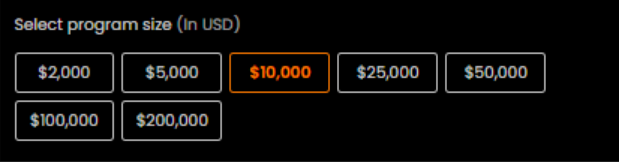
Step 2: Select Your Account Size
Choose the account balance you would like to trade with based on your goals and risk preference.
Step 3: Customize with Add-Ons (Optional)
You may enhance your account by selecting any available add-ons offered during the checkout process.

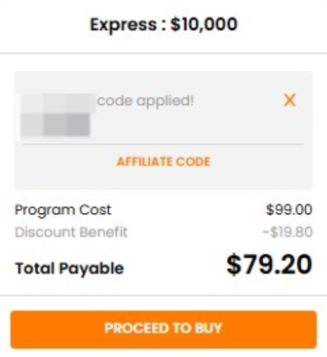
Step 4: Apply a Discount Code (If Available)
If you have a discount code, click on “Discount Code” during checkout and enter your code to apply it.
If you have a discount code and want to apply it, you can click on "Discount code" here:
Once your purchase is complete, your Challenge account details will be provided, and you can begin trading.
Was this article helpful?
That’s Great!
Thank you for your feedback
Sorry! We couldn't be helpful
Thank you for your feedback
Feedback sent
We appreciate your effort and will try to fix the article